Global Prompt
Set consistent instructions and tone for all AI workflows and agent responses.
Global Prompt provides consistent context and instructions that apply to all your AI interactions across workflows and agents.
What is Global Prompt?
A global prompt is a set of instructions that gets prepended to every AI request. Use it to:
- Define your preferred communication tone (formal, casual, technical)
- Provide personal context (role, expertise, preferences)
- Set response guidelines (length, format, language)
- Establish domain knowledge (industry terms, company info)
Enable Global Prompt
- Go to Settings
- Find the Global Prompt section
- Toggle Enable Global Prompt on
- Enter your prompt in the text area
- Click Save Changes
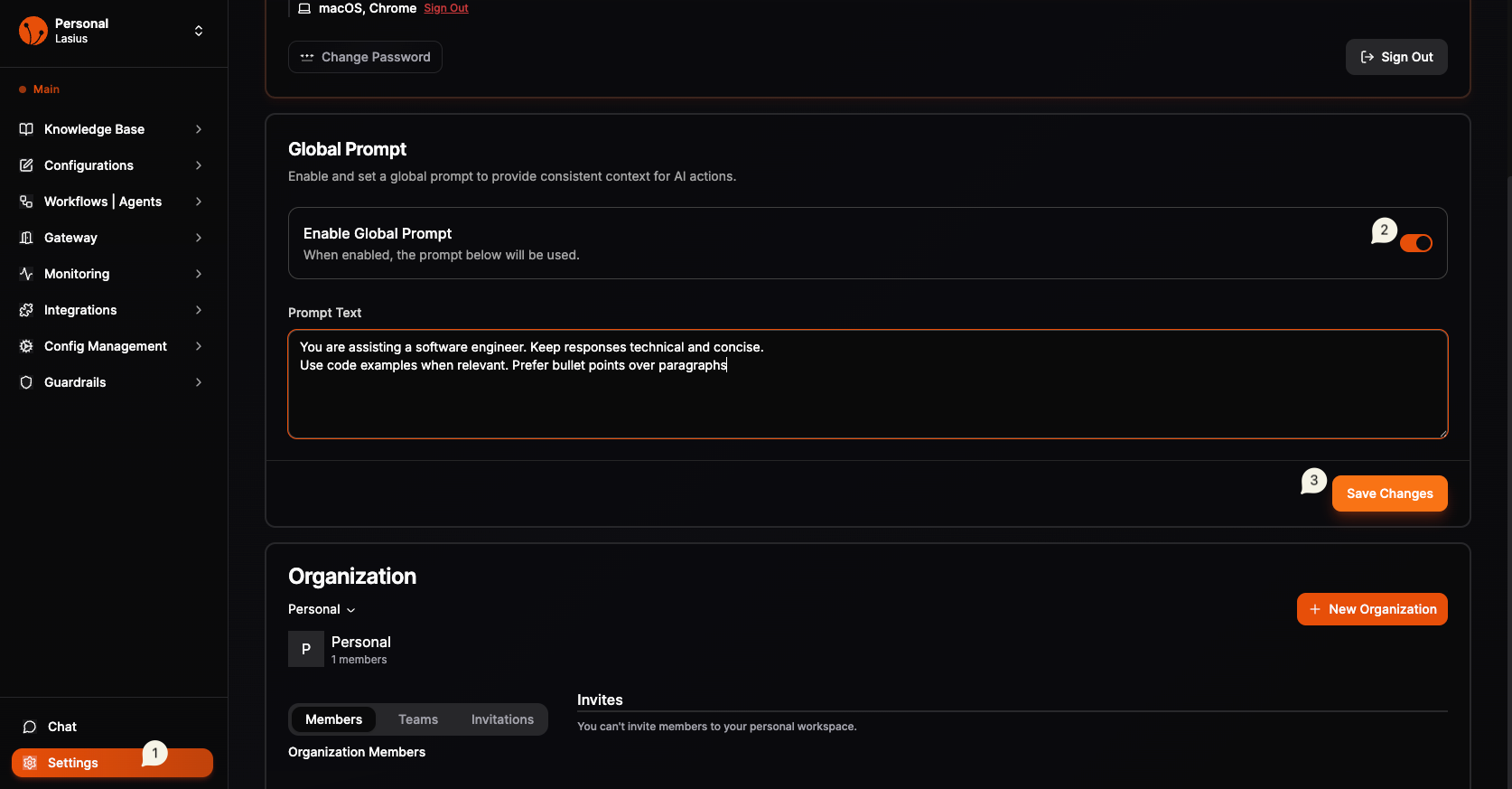 Fig : Global Prompt settings with enable toggle and prompt text area
Example Prompts
Professional Tone
You are assisting a software engineer. Keep responses technical and concise.
Use code examples when relevant. Prefer bullet points over paragraphs.
Customer Support Agent
You are a friendly customer support assistant for [Company Name].
Always be polite and empathetic. Offer solutions proactively.
If unsure, suggest escalating to a human agent.
Domain Expert
You are assisting with financial analysis. Use industry-standard terminology.
Always cite data sources. Format numbers with proper currency symbols.
Consider regulatory compliance in recommendations.
How It Works
User Query → Global Prompt + Workflow System Message + Query → AI Response
The global prompt combines with workflow-specific instructions, giving you both consistent baseline behavior and workflow-specific customization.
Best Practices
- Keep it focused — Include only universally applicable instructions
- Don't repeat — Avoid duplicating what's in workflow system messages
- Test thoroughly — Verify it works well across different workflows
- Update as needed — Refine based on AI response quality
Use Cases
| Use Case | Global Prompt Focus |
|---|---|
| Personal assistant | Preferences, schedule patterns, communication style |
| Business workflows | Company context, brand voice, compliance requirements |
| Development | Code style, tech stack, documentation preferences |
| Research | Citation format, academic tone, source requirements |