Providers
Configure authentication mechanisms for MCP server connections.
Providers define how Lasius authenticates with MCP servers. Before connecting to most MCP servers, you need to configure a provider with the appropriate authentication mechanism.
Navigate to Providers
- Open the sidebar menu
- Click Gateway to expand
- Select Providers
Available Auth Providers
| Provider | Description | Use Case |
|---|---|---|
| Bearer Token | Token-based authentication | APIs with bearer tokens |
| API Key | Key-based authentication | Most REST APIs (Hubspot, etc.) |
| Google OAuth2 | OAuth2 flow for Google | Gsuite, Google APIs |
| HTTP Basic | Username/password | Basic auth endpoints |
| No Authentication | No auth required | Public APIs, local servers |
Configure a Provider
- Find the provider type you need
- Click Configure
- Fill in the required fields
- Save the configuration
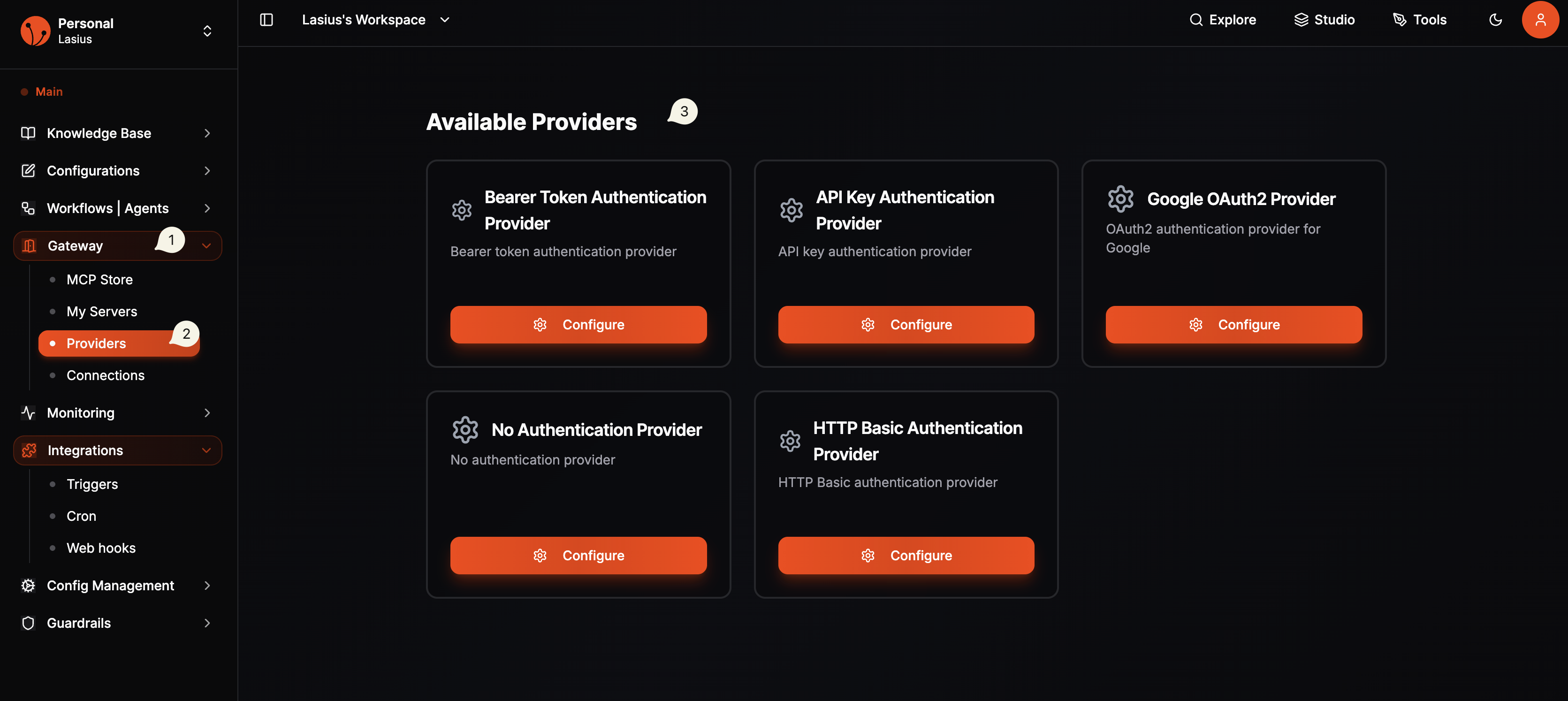 Fig : MCP Supported Auth Providers
Bearer Token Configuration
| Field | Description |
|---|---|
| Profile Name | Identifier for this configuration |
| Token | Your bearer token |
API Key Configuration
| Field | Description |
|---|---|
| Profile Name | Identifier for this configuration |
| API Key | Your API key |
| Header Name | Header to send key in (default: X-API-Key) |
Google OAuth2 Configuration
| Field | Description |
|---|---|
| Profile Name | Identifier for this configuration |
| Client ID | Google OAuth client ID |
| Client Secret | Google OAuth client secret |
| Scopes | Required permission scopes |
After configuration, you'll be redirected to Google to authorize access.
Note:
The redirect url scheme must match Temporary it is using dev server.
- Production :
https://dev.mcp.lasius.io/api/v1/mcp/instances/oauth2/callback
HTTP Basic Configuration
| Field | Description |
|---|---|
| Profile Name | Identifier for this configuration |
| Username | Auth username |
| Password | Auth password |
No Authentication
| Field | Description |
|---|---|
| Profile Name | Identifier for this configuration |
Use this for MCP servers that don't require authentication.
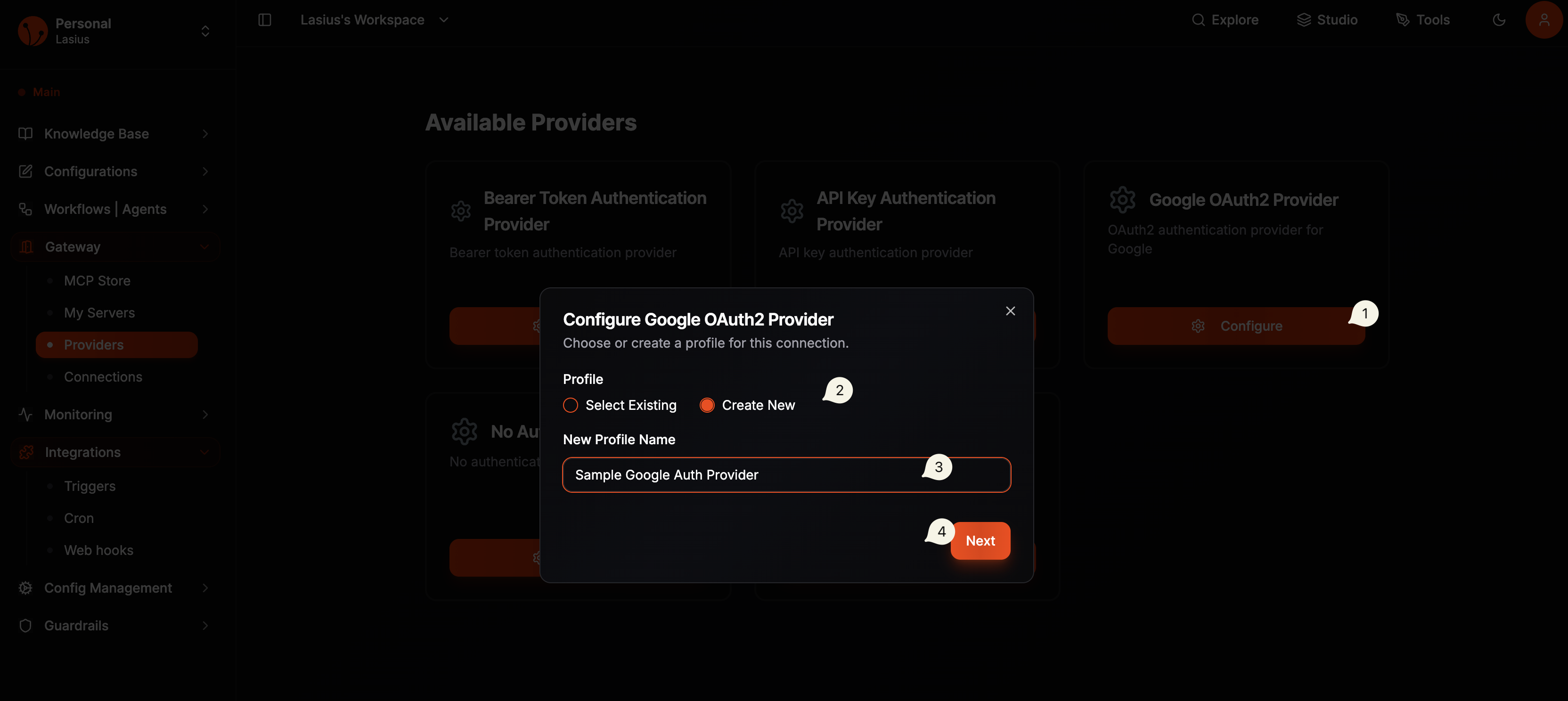 Fig : Create MCP provider auth
Example:
- Configure Google OAuth2 Auth Provider Create Auth Provider for Google with client_id , client_secret and scopes. You must create credentials from ![Google Console ] (https://console.cloud.google.com/apis/credentials) and enable the correct APIs
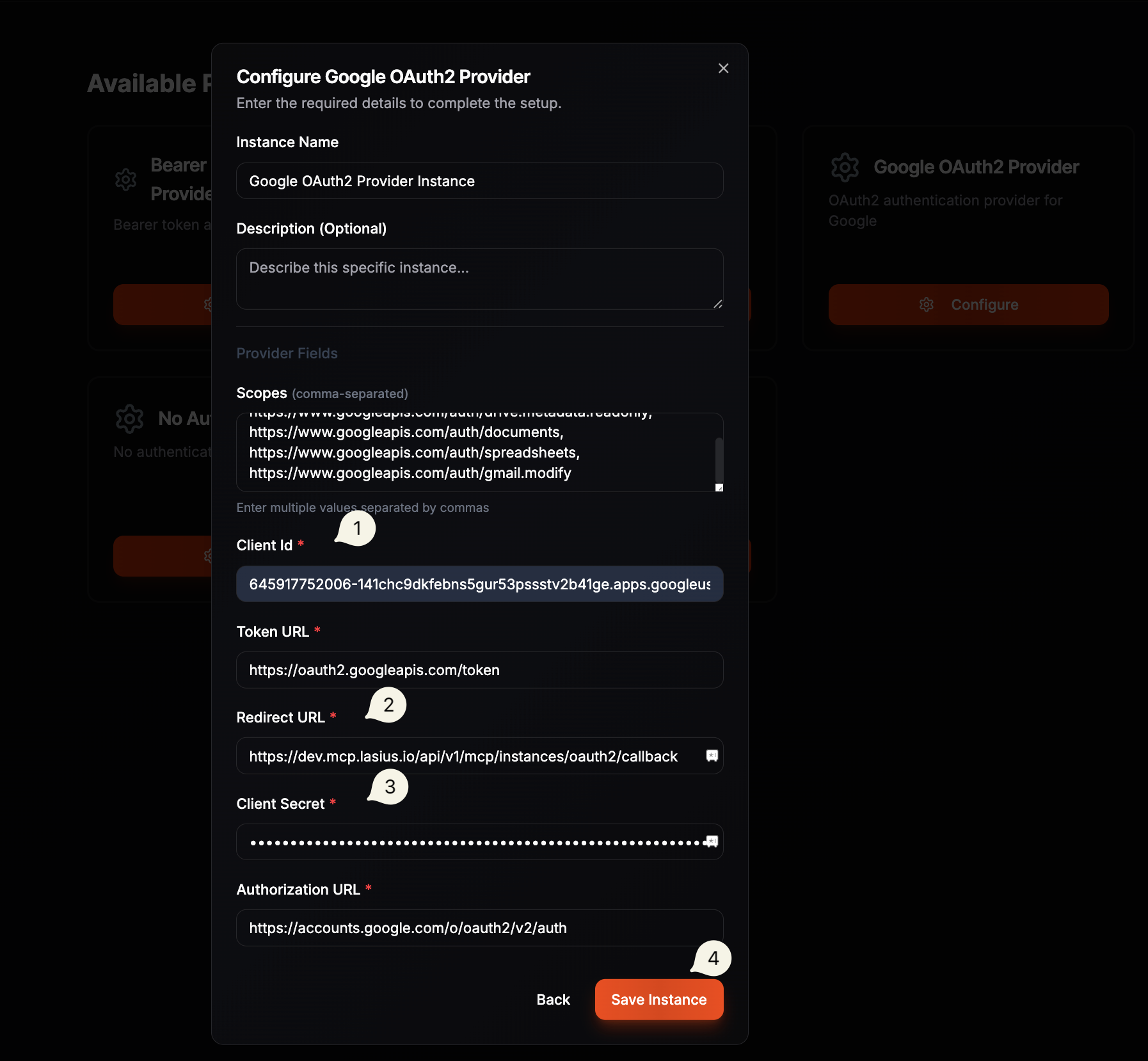 Fig : Configure Google Auth
How Providers Work
Provider (Auth Config) → Profile Created → Used by MCP Servers
- You configure a provider with credentials
- A profile is created and stored securely
- When connecting an MCP server, you select the profile
- Lasius uses the profile to authenticate requests
Best Practices
- Naming: Use descriptive profile names (e.g., "Production Hubspot", "Dev Google")
- Security: Never share profile configurations
- Rotation: Regularly rotate API keys and tokens
- Scopes: Request minimum required OAuth scopes
Troubleshooting
| Issue | Solution |
|---|---|
| "Authentication failed" | Verify credentials are correct |
| "Token expired" | Re-authenticate with OAuth providers |
| "Invalid scope" | Check required scopes for the MCP server |
Next: Browse MCP Store